Visual SchedulingDrag & Drop Planning
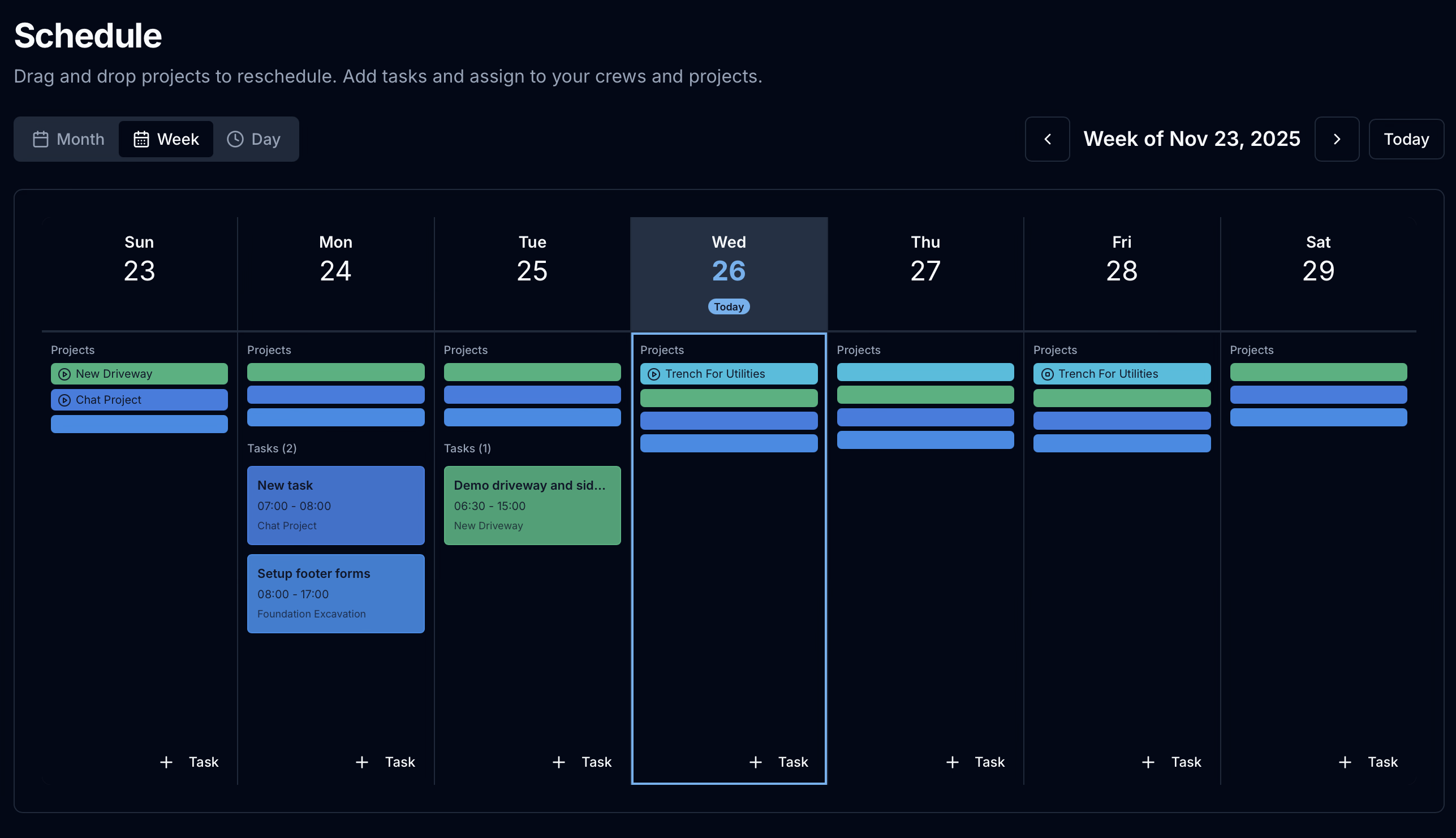
Plan your week with an intuitive calendar view. Drag and drop projects and tasks to reschedule instantly. See your entire operation at a glance.
Available on all plans including Free
Your Week, Your Way
See all your projects and tasks in a clean calendar view. Reschedule with a simple drag and drop.
Scheduling Made Simple
Stop juggling spreadsheets and whiteboards. Manage your entire schedule from one place.
Everything You Need to Plan
Weekly calendar view with day-by-day breakdown
Month view for long-term planning
Day view for detailed scheduling
Drag and drop projects to new dates
Drag and drop tasks to reschedule
Quick "+ Task" button on each day
Tasks show time range and linked project
Color-coded project bars for easy identification
Navigate between weeks with arrow buttons
Jump to today with one click
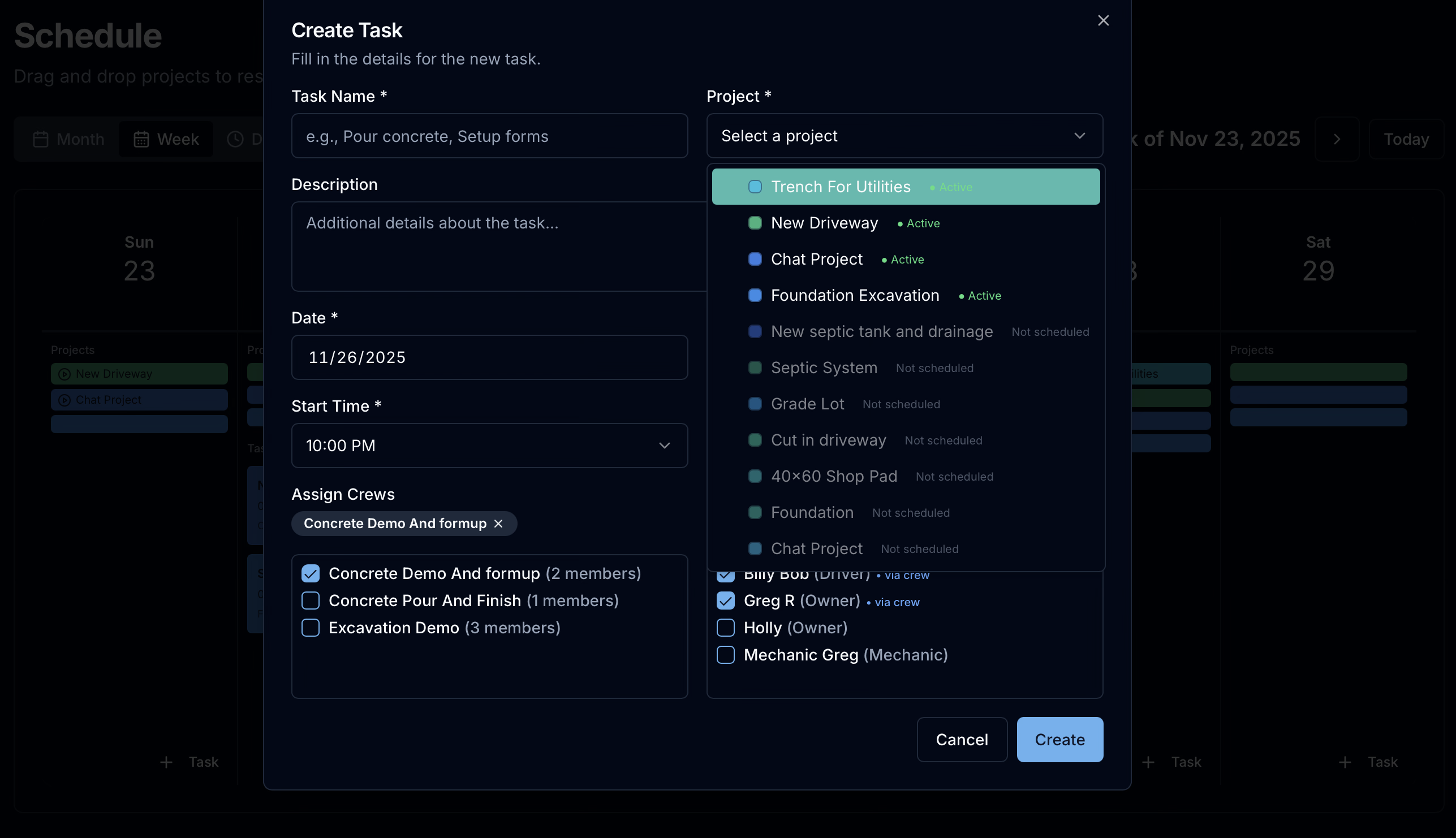
Assign Tasks to Personnel or Crews
Create tasks and assign them to individual team members or entire crews. Crews are pre-configured groupings of personnel and equipment, making it easy to schedule your full team for a job with a single selection.
Plan smarter, not harder
Start scheduling your projects and tasks with visual drag and drop today.